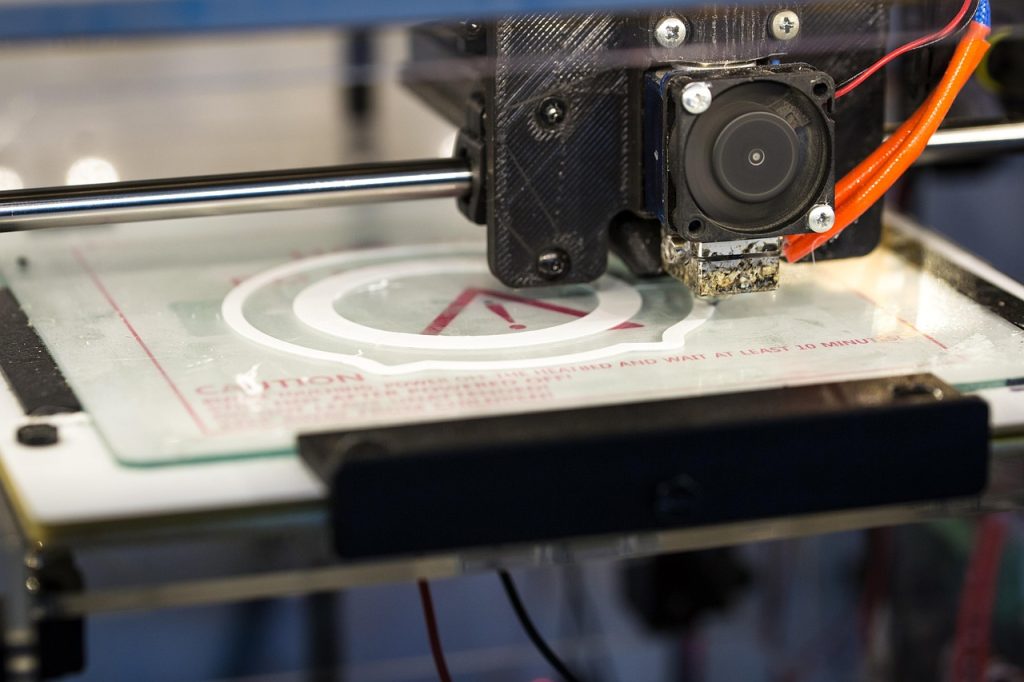
PLA-Filament gilt allgemein als das für Anfänger am besten geeignete 3D-Druckmaterial, doch selbst erfahrene Anwender haben manchmal mit Druckfehlern zu kämpfen. Fadenbildung, Verziehen, Unterextrusion und Schichtablösung können einen vielversprechenden Druck in verschwendetes Filament und Frust verwandeln. Dieser umfassende Leitfaden zur Fehlerbehebung behandelt die Ursachen und bewährte Lösungen für die häufigsten Probleme mit PLA und PLA+.
Fadenbildung und Auslaufen bei PLA
„Stringing“ zeigt sich als dünne Kunststofffäden zwischen den gedruckten Strukturen. Es tritt auf, wenn geschmolzenes Filament während der Verfahrbewegungen aus der Düse tropft. Die Hauptursachen und Abhilfemaßnahmen:
| Symptom | Mögliche Ursache | Lösung |
|---|---|---|
| Feine Härchen zwischen den Teilen | Der Rückzug ist zu kurz | Erhöhen Sie den Rückzugsweg in Schritten von 0,5–1 mm. |
| Dicke Kleckse auf den Bewegungsbahnen | Düsentemperatur zu hoch | Die Temperatur in Schritten von 5 °C senken |
| Nur die ersten Schichten bespannen | Z-Hop deaktiviert oder zu niedrig | Z-Hop bei 0,2–0,4 mm aktivieren |
| Besaitung ausschließlich mit PLA+ | Additivpaket erhöht den Durchfluss | Erhöhen Sie den Rückzug um 1–2 mm und die Rückzugsgeschwindigkeit um 5–10 mm/s |
Drucken Sie einen Retraktions-Turm, um die optimalen Einstellungen zu ermitteln. Bei PLA+, das oft eine höhere Schmelzflussrate aufweist, muss die Retraktionsstrecke in der Regel 1–2 mm länger sein als bei Standard-PLA, um ein Auslaufen während der Verfahrbewegungen zu verhindern.
PLA-Verzug und Haftung auf dem Druckbett
Bei PLA tritt das Verziehen weniger stark auf als bei ABS, kommt aber dennoch vor, insbesondere bei größeren Teilen oder dünnwandigen Drucken. Der Kunststoff kühlt ab und zieht sich zusammen, wodurch die Ecken nach oben gezogen werden.
Lösungen, sortiert nach Wirksamkeit:
- Reinigen Sie die Baufläche — Mit Spülmittel und warmem Wasser abwaschen. Fingerabdrücke, Staub und alte Kleberückstände verhindern eine gute Haftung.
- Verwende eine Krempe — Eine 5–10 mm breite Sicke stabilisiert den Randbereich und verhindert das Abheben der Ecken bei Teilen mit kleinen Auflageflächen
- Druckgeschwindigkeit der ersten Schicht verringern — Verringern Sie die Geschwindigkeit für die erste Schicht auf 20–30 mm/s, um eine ausreichende Verformung und Haftung zu gewährleisten.
- Betttemperatur erhöhen — PLA haftet am besten bei 55–65 °C. Bei Temperaturen unter 50 °C steigt das Verformungsrisiko erheblich an.
- Verwenden Sie ein Gehäuse — Selbst ein Karton mindert Zugluft, die zu ungleichmäßiger Kühlung und Verformungen führt
Unterextrusion und Verstopfung bei PLA
Eine Unterextrusion äußert sich in Lücken in den Wänden, unvollständiger Füllung oder Schichten, die nicht miteinander verbinden. Die PLA-spezifischen Ursachen:
- Feuchtigkeit im Filament — Die häufigste Ursache. Feuchtes PLA bildet Dampfblasen in der Düse, was zu einer ungleichmäßigen Extrusion führt. Trocknen Sie das Material 4–6 Stunden lang bei 45–50 °C, bevor Sie andere Ursachen ausschließen.
- Teilweise verstopfte Düse — PLA zersetzt sich bei Temperaturen über 240 °C zu verbranntem Kohlenstoff. Wenn Sie einen Temperaturturm zu heiß betrieben haben, reinigen Sie die Düse durch einen Kaltzug.
- Wärmekriechen — Das Hot-End erwärmt das Cold-End und erweicht das Filament noch vor dem Antriebsrad. Dies wird in der Regel durch einen unzureichenden Lüfter oder durch zu langsames Drucken bei einem Hot-End mit hoher Temperatur verursacht.
- Aussetzer des Extruders — Das Antriebszahnrad rutscht auf dem Filament. Erhöhen Sie die Spannung der Umlenkrolle oder verringern Sie die Druckgeschwindigkeit.
Trennung der PLA-Schichten
Schichtablösung – also das Ablösen der gedruckten Schichten voneinander – ist fast immer ein Temperaturproblem. PLA benötigt ausreichend Wärme, um die Schichten miteinander zu verbinden. Ist die Düse zu kalt oder kühlt das Bauteil zu schnell ab, kommt es zu einer mangelhaften Schichthaftung.
Korrekturen zur Trennung der Ebenen:
- Erhöhen Sie die Düsentemperatur um 5–15 °C (innerhalb der für PLA geltenden Grenzen von 190–230 °C)
- Reduzieren Sie die Drehzahl des Bauteil-Lüfters bei PLA auf 50–70% (eine Kühlung mit 100% kann zu einer schlechten Schichtbindung führen).
- Verwenden Sie ein Gehäuse, um die Umgebungstemperatur um den Druck herum konstant zu halten.
- Drucken Sie dickere Schichten (0,25–0,3 mm), da diese die Wärme besser speichern als dünne Schichten.
- Stellen Sie sicher, dass das Filament trocken ist – feuchtes Filament führt selbst bei korrekten Temperaturen zu einer schwachen Schichthaftung.
Lagerung und Feuchtigkeitsmanagement von PLA
PLA ist hygroskopisch und nimmt mit der Zeit Feuchtigkeit aus der Luft auf. Zu den Anzeichen für feuchtes PLA gehören:
- Knall- oder Knistergeräusche während der Extrusion
- Raue, blasige Oberflächenbeschaffenheit
- Deutlich verringerte Zugfestigkeit (Verlust von bis zu 30%)
- Uneinheitlicher Durchmesser, da durch Feuchtigkeit innere Blasen entstehen
Vorbeugen ist billiger als Reparieren. Bewahren Sie PLA in luftdichten Behältern mit farbwechselndem Trockenmittel auf. Wenn das Trockenmittel rosa wird, regenerieren Sie es, indem Sie es 2 Stunden lang bei 120 °C im Backofen erhitzen. Für eine langfristige Lagerung (3+ Monate) verschließen Sie den Behälter vakuumdicht zusammen mit einem Trockenmittelpäckchen.
Warum Sie sich für Nylon-Kunststoff entscheiden sollten, wenn es um 3D-Druck und technische Kunststoffe geht
Mit über 10 Jahren Erfahrung im Bereich technischer Kunststoffe beliefert Nylon Plastic B2B-Kunden weltweit mit Hochleistungswerkstoffen. Unser Sortiment umfasst Nylon (PA6, PA66, PA12), POM, PEEK sowie 3D-Druckfilamente wie PLA, PLA+ und PETG. Jede Charge wird vor dem Versand auf Durchmessertoleranz (±0,03 mm), Feuchtigkeitsgehalt und mechanische Eigenschaften geprüft.
- Nach ISO 9001 zertifizierte Produktionsstätten
- Großabnahme zu wettbewerbsfähigen B2B-Preisen
- Technische Unterstützung bei der Materialauswahl und den Druckparametern
- Schneller weltweiter Versand aus mehreren Lagern
- Maßgeschneiderte Materialrezepturen für OEM-Projekte verfügbar
FAQ
Wann ist „PLA-Filament – Fehlerbehebung: Häufige Probleme und Lösungen“ eine gute Wahl?
„Fehlerbehebung bei PLA-Filamenten: Häufige Probleme und Lösungen“ ist eine gute Wahl, wenn schnelle Iterationen, komplexe Geometrien, niedrige Werkzeugkosten oder die Produktion kleiner Stückzahlen wichtiger sind als die Stückkosten von Spritzgussteilen.
Was sollte man vor der Auswahl des PLA-Filaments beachten? Fehlerbehebung: Häufige Probleme und Lösungen?
Prüfen Sie die Größe des Teils, die Materialeigenschaften, die Oberflächenbeschaffenheit, die Maßtoleranz, die Wärmeeinwirkung, die Belastungsrichtung und ob eine Nachbearbeitung erforderlich ist.
Inwiefern unterscheidet sich die Fehlerbehebung bei PLA-Filamenten: Häufige Probleme und Lösungen von der CNC-Bearbeitung?
Mit dem 3D-Druck lassen sich komplexe Formen schnell erstellen, während die CNC-Bearbeitung für präzise Oberflächen, engere Toleranzen und serienreife Materialien oft besser geeignet ist.
Was beeinflusst die Kosten für „PLA-Filament – Fehlerbehebung: Häufige Probleme und Lösungen“?
Die Kosten hängen vom Material, dem Bauvolumen, der Druckzeit, der Schichthöhe, der Entfernung von Stützen, der Endbearbeitung, der Prüfung und der Anzahl der Teile im Bau ab.